Starting and Stopping Graph Studio
If Graph Studio is run via a systemd service, as described in Configure and Start the Anzo Service, use systemctl to start and stop Graph Studio.
To start Graph Studio, run the following command:
sudo systemctl start anzo-server
To stop Graph Studio, run the following command:
sudo systemctl stop anzo-server
To start Graph Studio using the AnzoServer utility, run the following command. Make sure that you are logged in as the Anzo service user before stopping or starting Graph Studio:
<install_path>/Server/AnzoServer start
To stop Graph Studio, run the following command:
<install_path>/Server/AnzoServer stop
You can also start and stop Graph Studio from the symbolic links if they were created for your installation. For example, /etc/init.d/AnzoServer start or /etc/init.d/AnzoServer stop.
Monitoring Startup Status
It can take a few minutes for Graph Studio to complete the startup process. You can monitor the status by viewing the Status page. To see the Status page, go to the following URL in your browser:
http://<hostname_or_IP_address>:8945/status
Where <hostname_or_IP_address> is the name or IP address of the server that hosts Graph Studio.
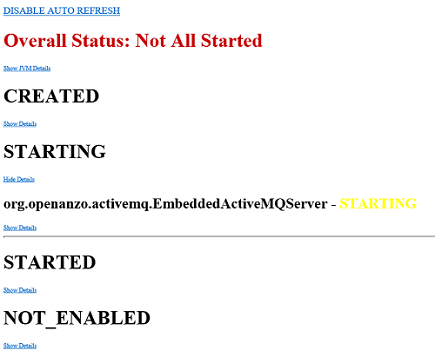
For example, the following image shows the Status page message displayed while Graph Studio is starting:
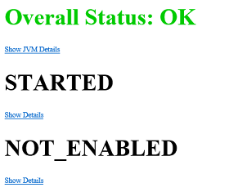
The image below shows the Status page message when startup is complete: