Updating an Expired License
If your license is expired and Anzo will not start or Anzo is running but the Server Licensing screen in the Administration application shows an Access Denied/Forbidden License is invalid error message, follow the steps below to update the license key.
- First, log in to the Anzo host server and stop Anzo with the following command:
sudo systemctl stop anzo-server
Or, if you do not use the systemd service, you can stop Anzo with the command below:
<install_path>/Anzo/Server/AnzoServer stop
- Next, start Anzo with the appropriate command below:
sudo systemctl start anzo-server
Or
<install_path>/Anzo/Server/AnzoServer start
- Once Anzo is restarted, you will be presented with the same license key entry screen that is displayed during installation (shown below).
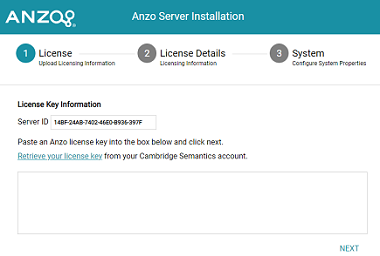
- Paste the license key in the text field and click Next. Anzo completes the startup process and you can resume usage. It may take Anzo noticeably longer to start for the first time after the license is updated. Subsequent starts will return to the usual startup time.